
DIGITAL EYE STRAIN
Digital devices have become an essential part of modern life. Whether for work, education, entertainment, or communication, many individuals spend several hours each day looking at screens. While technology offers convenience and connectivity, prolonged screen use can place added demands on the visual system and contribute to a range of vision-related symptoms. Understanding how digital devices affect the eyes can help individuals take proactive steps to maintain comfort and support long-term eye health.
Many people experience discomfort after extended periods of screen use without realizing that their symptoms may be related to visual fatigue. Unlike reading printed materials, digital screens often require the eyes to work harder due to glare, contrast variations, screen brightness, and prolonged focus at a fixed distance.
Common symptoms of digital eye strain may include:
- Eye fatigue
- Blurred vision
- Dry eyes
- Headaches
- Difficulty focusing
- Neck and shoulder discomfort
- Increased light sensitivity
One of the primary reasons digital eye strain develops is reduced blinking. Individuals tend to blink less frequently while concentrating on screens, which can contribute to dryness and irritation. A stable tear film is essential for maintaining clear and comfortable vision throughout the day.
Screen distance and viewing position can also influence visual comfort. Devices positioned too close, too far away, or at improper angles may increase strain on the eyes and surrounding muscles.
Brightness levels often play a role as well. Excessively bright screens or significant differences between screen brightness and room lighting can increase visual stress and contribute to discomfort during prolonged use.
Many individuals notice that symptoms become more apparent later in the day. As visual fatigue accumulates, focusing may become more difficult and overall comfort may decline.
Modern lifestyles frequently involve switching between computers, smartphones, tablets, and televisions. Repeatedly changing viewing distances can place additional demands on the visual system and contribute to eye strain.
Children, students, and professionals who spend substantial time using digital devices may be particularly susceptible to screen-related symptoms. Understanding the causes of digital eye strain can help individuals develop healthier viewing habits.
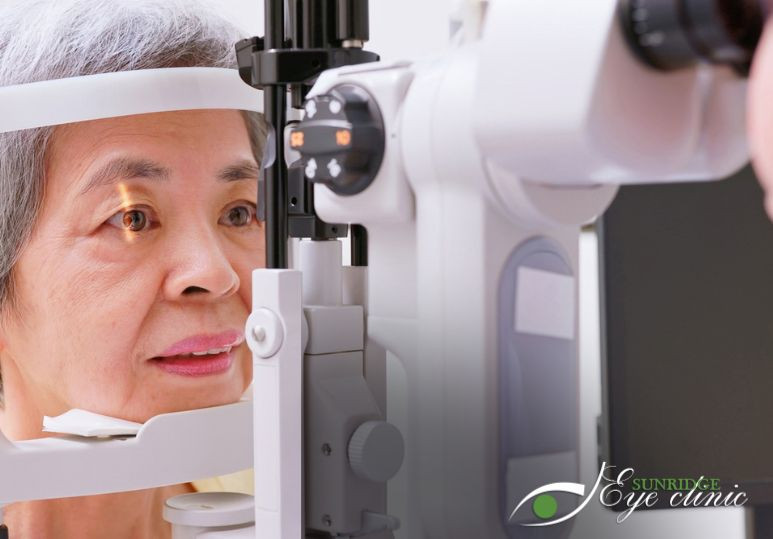
Regular Eye Exams help identify factors that may contribute to digital eye strain while supporting strategies that improve long-term visual comfort and performance.
SCREEN HABITS
Healthy screen habits play an important role in reducing visual discomfort and supporting overall eye health. While digital devices cannot always be avoided, small adjustments to daily routines can significantly improve comfort and help minimize the effects of prolonged screen exposure.
Many individuals focus on screen time itself, but viewing habits are often equally important. Factors such as posture, lighting, break frequency, and device positioning can influence how the eyes respond during extended use.
Helpful screen habits may include:
- Taking regular visual breaks
- Maintaining proper screen distance
- Adjusting screen brightness
- Reducing glare
- Practicing healthy blinking
- Using appropriate room lighting
- Limiting unnecessary screen time
One commonly recommended strategy is the 20-20-20 rule. This guideline encourages individuals to look at an object approximately 20 feet away for 20 seconds every 20 minutes. Brief visual breaks help relax focusing muscles and reduce fatigue.
Proper workstation setup can also improve comfort. Screens positioned at an appropriate height and distance may reduce strain on both the eyes and surrounding muscles.
Lighting conditions should be considered as well. Excessive glare from windows, overhead lights, or reflective surfaces can increase visual discomfort and make screen viewing more challenging.
Healthy blinking habits remain important during digital device use. Conscious blinking helps replenish the tear film and supports moisture distribution across the eye's surface.
Device settings may also influence comfort levels. Adjusting text size, contrast, and brightness can make screens easier to view while reducing visual stress.
Individuals who spend long periods working on computers may benefit from structured breaks throughout the day. Short pauses provide opportunities to rest the eyes and reduce cumulative fatigue.
Creating balanced technology habits is another important consideration. Incorporating non-screen activities into daily routines may help reduce overall visual demands and support healthier viewing patterns.
Because visual needs vary among individuals, professional guidance can help determine which adjustments may be most beneficial. Routine Eye Exams allow eye care professionals to evaluate symptoms and provide personalized recommendations based on individual lifestyle factors.
VISION PROTECTION
Protecting vision requires more than simply managing symptoms when discomfort occurs. Long-term eye health benefits from proactive care, healthy habits, and regular monitoring. As digital device use continues to increase, maintaining awareness of visual wellness becomes increasingly important.
Although digital screens do not necessarily cause permanent vision damage, prolonged exposure can contribute to ongoing discomfort and visual fatigue. Taking steps to support eye health helps reduce these effects while promoting better visual performance.
Benefits of protecting vision may include:
- Reduced eye strain
- Improved visual comfort
- Better focus
- Enhanced productivity
- Healthier screen habits
- Early detection of concerns
- Long-term eye health support
Routine eye care remains one of the most effective ways to support vision protection. Comprehensive examinations help identify vision changes that may contribute to screen-related symptoms and allow practitioners to recommend appropriate solutions.
Some individuals experience digital eye strain because of uncorrected vision problems. Even minor prescription changes can affect visual comfort during prolonged screen use. Identifying and addressing these issues may significantly improve daily performance.
Eye health monitoring also plays an important role in long-term vision protection. Regular evaluations help identify potential concerns early and support proactive management when necessary.
Lifestyle factors such as sleep quality, hydration, nutrition, and overall wellness can influence visual comfort as well. Supporting general health often contributes to better eye function and reduced fatigue.
Many individuals underestimate the cumulative effect of daily screen exposure. Small improvements in viewing habits and routine eye care can produce meaningful benefits over time.
Advancements in diagnostic technology have improved the ability to evaluate vision and eye health during comprehensive examinations. Detailed assessments provide valuable information that supports individualized recommendations and ongoing monitoring.
Patients often appreciate learning practical strategies for maintaining visual comfort while continuing to use digital devices for work, education, and recreation. Personalized guidance helps create realistic solutions that fit individual lifestyles.
Regular Eye Exams provide opportunities to assess visual performance, monitor eye health, and address concerns related to digital screen use. By combining healthy habits with ongoing professional care, individuals can support long-term vision wellness and maintain greater comfort in today's increasingly digital world.
FAQ's
Q: CAN SCREEN TIME CAUSE EYE STRAIN?
A: Yes. Prolonged screen use may contribute to eye fatigue, dryness, headaches, blurred vision, and difficulty focusing.
Q: WHAT IS THE 20-20-20 RULE?
A: The 20-20-20 rule encourages individuals to look at something about 20 feet away for 20 seconds every 20 minutes to help reduce visual fatigue.
Q: CAN EYE EXAMS HELP WITH DIGITAL EYE STRAIN?
A: Yes. Comprehensive eye exams can identify vision issues, evaluate eye health, and provide recommendations that help improve comfort during screen use.